Mobile app that helps to make
purchases with pleasure
Time Line:
February – April 2022 – 6 weeks
Overview:
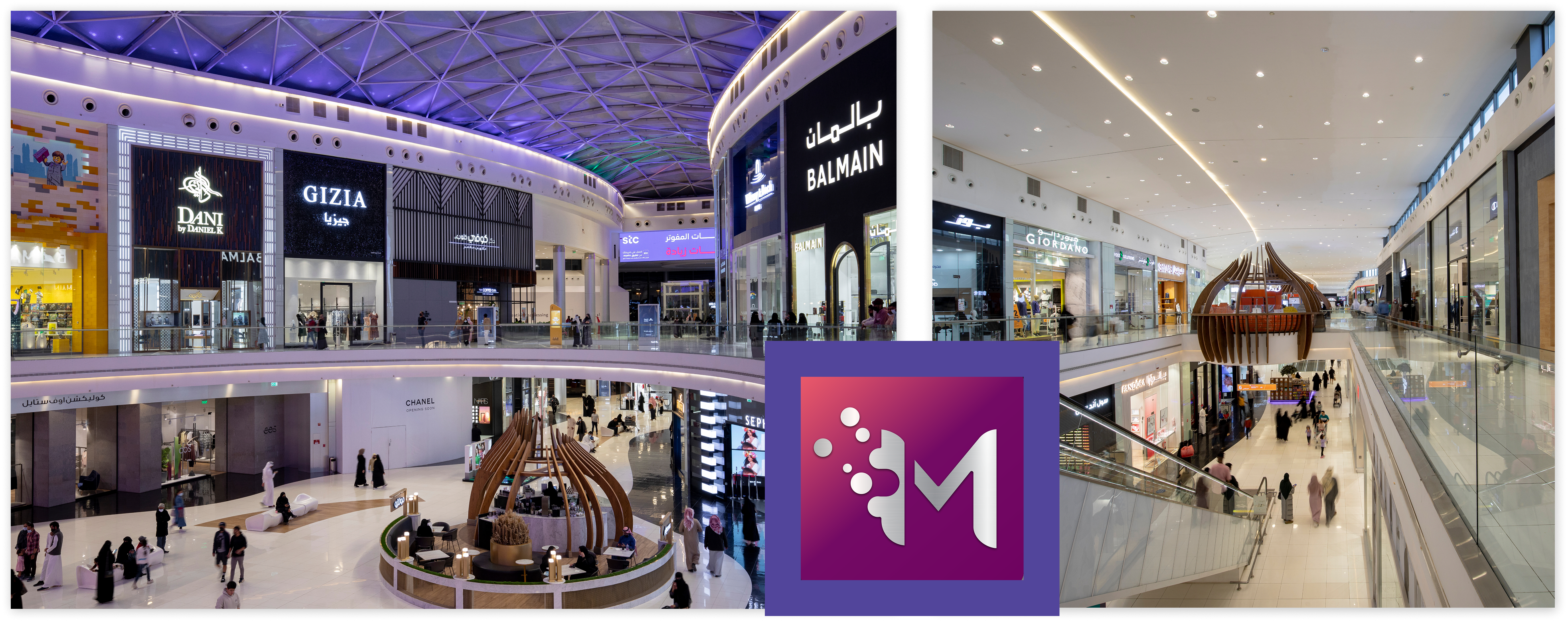
Mallers is a mobile application designed for shopping malls in KSA, aiming to enhance user experience by helping shoppers locate malls, plan visits around events and promotions, and navigate the mall effectively.
Key features include user registration, improved navigation, special offers, and parking assistance, developed through extensive user research and competitive analysis.
My Role: Senior UI/UX Designer
1. User Research to map mall shopper journeys and pain points (navigation, offers, parking).
2. Creation wireframes, interactive prototypes, and high-fidelity mockups for iOS/Android.
3. Usability testing and analytics-driven iteration on navigation, sales/events, and parking flows.
4. Close collaboration with product and engineering to deliver features and resolve design issues.
Skills:
Competitive Research, User Research, Information Architecture, Journey Mapping, Wireframing, and UI Design, Evaluation of Interface Accessibility and Usability
...not only to buy, but also
to spend time and enjoy
Problems
Goals
Shopping malls remain highly popular despite the growth of e-commerce.
People visit not only to shop but also to enjoy social and entertainment experiences with family.
However, navigating large malls with numerous stores, discounts, and events can be overwhelming. As a result, visitors often miss the best offers and experiences, reducing overall satisfaction.
Based on user behavior analysis and business needs, the findings include:
1. Lack of structured information.
Visitors often cannot easily find details about mall opening hours, store availability, ongoing promotions, or events.
2. Complex navigation in large malls.
Users struggle to orient themselves inside malls with many stores and facilities.
3. Weak communication between malls and visitors.
Malls often fail to effectively communicate their value, events, or services to users.
4. Increased competition with e-commerce.
The growth of online shopping raises the need for malls to provide a stronger, more engaging offline experience.
The purpose of the application is to help the user:
1. Find the nearest or preferred mall based on the user’s location;
2. Plan visits around events, deals, and showtimes across stores, restaurants, and cinemas;
3. Search: Improve the search function by adding the ability to filter and sort;
4. Navigation: Provide maps and directions for better navigation inside the mall;
5. Offers: Highlight and nicely visualize the current discounts page;
6. Get directions to the mall and navigate it easily with indoor maps;
7. Gift Cards and Rewards: Emphasize rewards programs and the ability to purchase gift cards;
8. Enjoy a smooth, family-friendly shopping.
User goals.
Enjoy a seamless, well-orchestrated visit: discover and plan cinemas, restaurants, cafés, entertainment, sports centers, and beauty services; quickly find favorite stores, products, offers; navigate the mall with ease.
Business goals.
Attract and serve more visitors, clearly communicate offers and events, make visits effortless and enjoyable, and ultimately grow tenant sales, footfall, loyalty, and profitability.
Our goal.
Create a mall app that maximizes the shopping experience—helping users find the right mall, locate stores and products, plan around deals and events, navigate indoors, and complete purchases with minimal friction.
From research to solutions:
methods of research
andconclusions
Discover
Define
Development
5W’s Questions
Why was it used:
We got a common understanding for the team and stakeholders: who our users are, what is critical for them, and where/when the scenarios take place. It will save time for subsequent research and set a focus for CJM, interviews, ideation, and success metrics.
Field Research
Why was it used:
We got a common understanding for the team and stakeholders: who our users are, what is critical for them, and where/when the scenarios take place. It will save time for subsequent research and set a focus for CJM, interviews, ideation, and success metrics.
Insights:
1. People often take pictures of the sector/columns – they are afraid to forget the place;
2. Visitors get lost when moving between atriums/floors;
3. People take screenshots of maps/store;
Visualization of Research Findings: Mallers User Research
4. The shortest routes and landmarks “along the way” are needed;
5. Often come “for an event” (show, children’s activity).
6. Groups with children often deviate from the route through entertainment areas/food court.
Interview with Business
Why was it used:
To align business goals and prioritize functions that directly impact revenue and experience.
What we got:
agreed on KPIs, discussed target segments, limitations, prioritized functions, and identified those responsible at each stage.
Competitor Analysis
Why it was used:
To collect benchmarks on navigation, offers, indoor maps, and loyalty and not invent obvious patterns.
Result:
Several competitor applications in the client’s region were selected and their functions were analyzed. Based on this consideration, 20 primary and 8 secondary functions were formed.
We paid special attention to the following list of functionality that can be added to Mallers application:
1. Registration: Include the possibility of registration via Email and social networks;
2. Onboarding: Add onboarding for new users to help them quickly learn the app;
3. Search: Improve the search function by adding the ability to filter and sort;
4. Navigation: Provide maps and directions for better navigation inside the mall;
5. Offers: Highlight and nicely visualize the current discounts page;
6. Parking: Expand parking functionality by adding smart parking and the ability to reserve a parking space.
7. Gift Cards and Rewards: Emphasize rewards programs and the ability to purchase gift cards;
8. Services: Expand the range of services, including a personal stylist, where possible.
Visualization of Research Findings: Mallers Competitor Analysis
User Interviews
Why was it used:
Gain a deep understanding of motivations, pains, and contexts (family visits, searching for discounts, fear of losing a car). Test assumptions with real stories.
Process:
When carrying out this activity, 2 methods — Interviews and Surveys were used. During the research period, 17 real and potential users of the app were involved in a 20-minute Zoom interview. In parallel, I conducted a survey using Google Forms among another 32 respondents.
Insights:
1. Teenagers go to malls with friends mainly to shop, go to restaurants, or watch movies;
2. When users hear about discounts or sales at malls, especially during the holidays, they make sure to visit the stores and buy;
3. Users get referrals for offers from loved ones, so awareness of current offers needs to be raised;
4. Sometimes users find out about sales in the last few days;
5. Users interested in coming to look at the product and try it on. Sometimes it is difficult to find clothes in the correct size, so they are forced to buy online;
6. Users need information about available parking slots and the ability to find their car quickly.
7. 64% of users visit the shopping center once or twice a month;
8. 58% of users visited the mall only during the holiday months to buy gifts for their family and friends;
9. 37% of users visit shopping centers for fun.
Visualization of Research Findings: Mallers User Interviews
User Personas
Why was it used:
The need to generalize key segments (families, “fast shoppers”, gourmets, moviegoers) and their tasks. Obtaining criteria for whom and what we do first.
Result:
Based on the user research results, 2 User Personas were created that reflect the essence of target users. These personas briefly describe the targeted audience and provide a better understanding.
Insights:
1. Both personas are time-pressed and need quick solutions: fast navigation, store/service search, and easy planning.
2. Key pain points: parking, wayfinding in large malls, and tracking deals/events; family/kid-friendly services, tech events/gadget launches.
3. Needs: personalized recommendations, clear hours/locations, a unified offers & events feed, and fastest route guidance.
4. Product implications: indoor navigation + “save parking,” family/tech filters, personalized offers, events calendar, timely push notifications, and bilingual AR/EN support.
Empathy Map
Why was it used:
The need to generalize key segments (families, “fast shoppers”, gourmets, moviegoers) and their tasks. Obtaining criteria for whom and what we do first.
Insights – Product Implications:
1. Unified Unfo: Single, reliable source for mall/store hours, locations, and services.
2. Offers & Events Feed: Deals with timely push notifications and calendar add.
3. Wayfinding & Parking: Indoor navigation, “Save parking” (GPS + photo/note), fastest routes to key POIs.
4. Reduce Cognitive load: Clear labels, bilingual AR/EN content, and offline-capable maps for weak signal areas.
Customer Journey Map (CJM)
Why was it used:
Our research has helped us prioritize the most frequent user issues, allowing us to focus on addressing these pain points, improving existing features, and adding new ones.
Insights:
1. Trip Planning: Missing single source of truth: hours, store availability, and deals are fragmented. Users expect a fast, low-effort visit from the start.
2. Arrival & Parking: Biggest friction finding a parking spot; unclear path from lot to entrance.
3. Finding a Store ( inside the mall): Indoor maps are hard to interpret; multi-floor wayfinding causes detours; users fear missing promotions/events.
4. In- Store Shopping: Experience improves with staff help; pain points are queues and limited assortments.
5. Exit & Return to Car: Finding the car and payment points is difficult; end-of-visit fatigue amplifies friction.
Visualization of Research Findings: Mallers Customer Journey Map
Ideation
Why was it used:
We wanted to identify pain points (by gathering information during user research) and turned those pain points into “How can we” questions.
Low-fi Wireframes
Why was it used:
It’s cheap to test information architecture and flows without unnecessary “prettiness” and get quick iterations before visual investments.
High-fi & Prototyping
Why was it used:
Test not only the logic of the flows, but also the perception of the interface in real scenarios (interaction pace, readability, contrast, clarity of icons, behavior of cards/filters on mobile). Get more reliable results of usability tests.
Insights:
Hi-fi prototypes removed risks in critical areas (map, offers, parking, multilingual) before development, provided measurable improvements in task success, and formed clear specifications for the dev team.
List of functionalities that
have beenimplemented
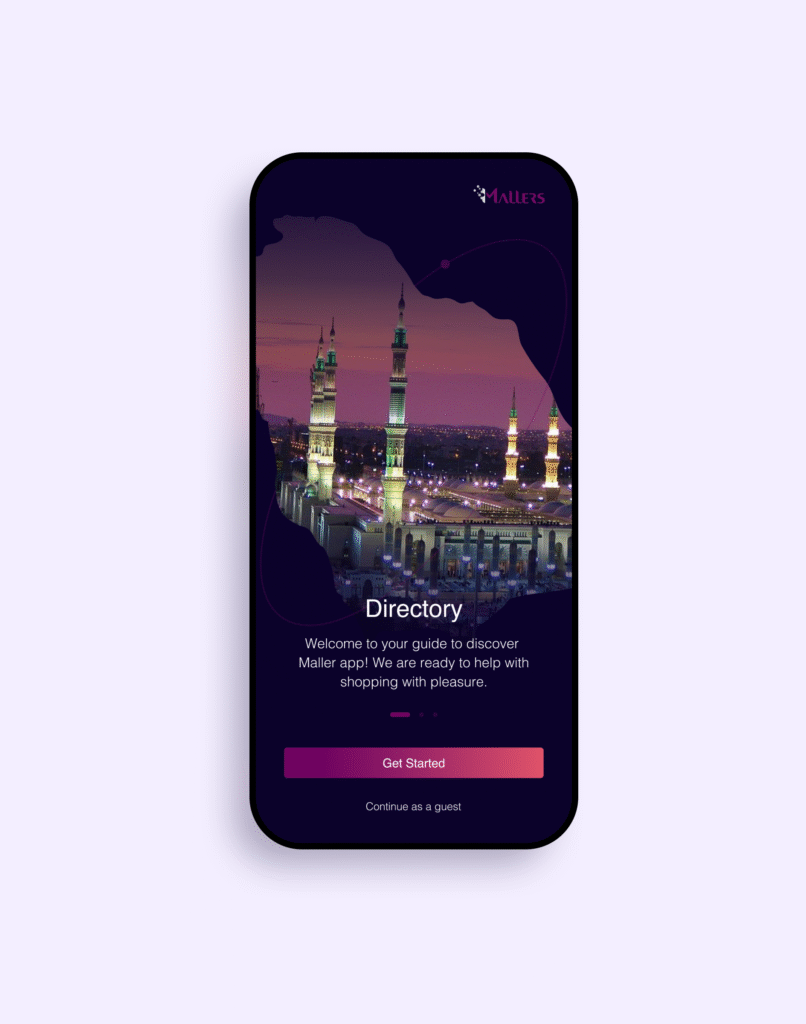
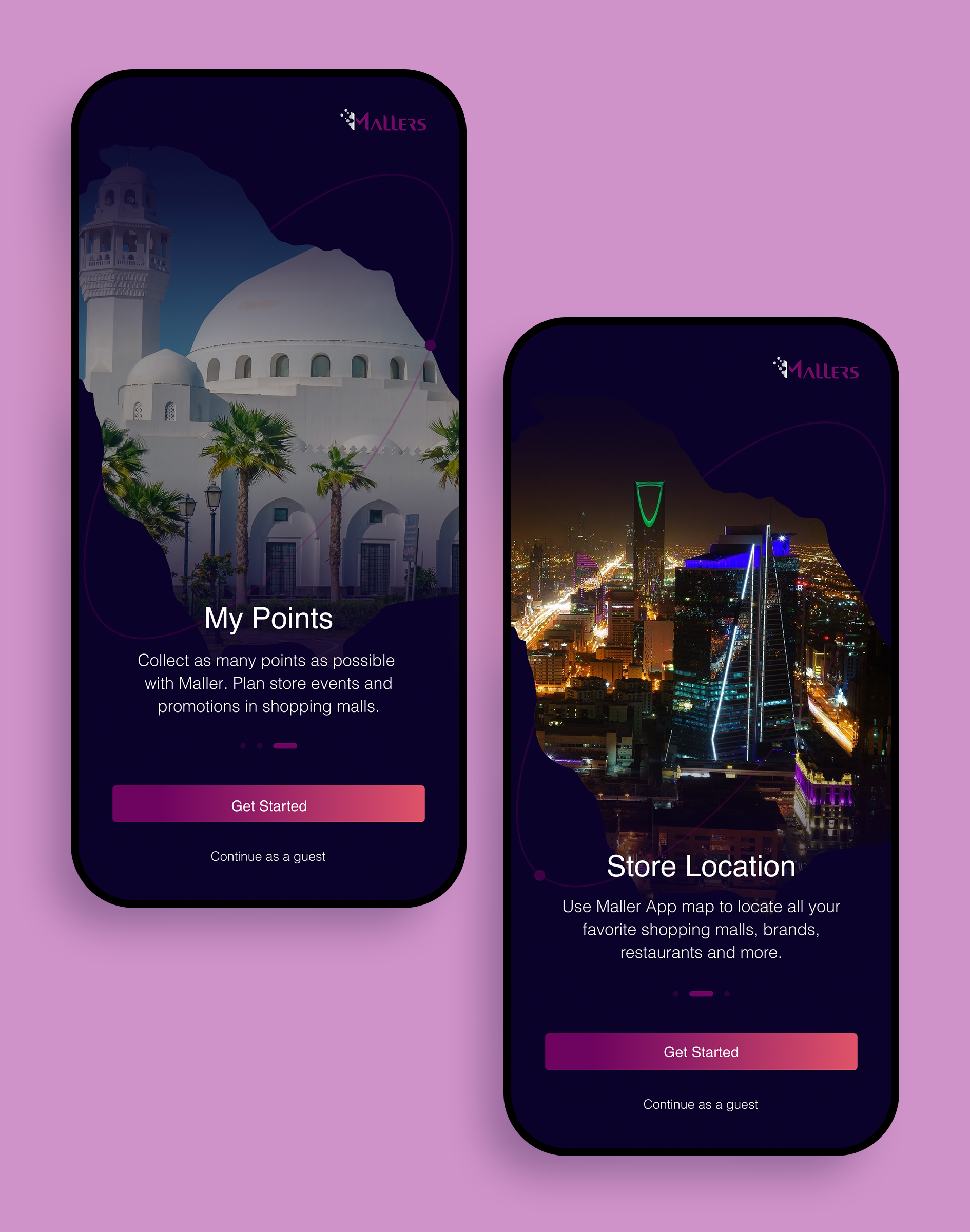
01. Onbording
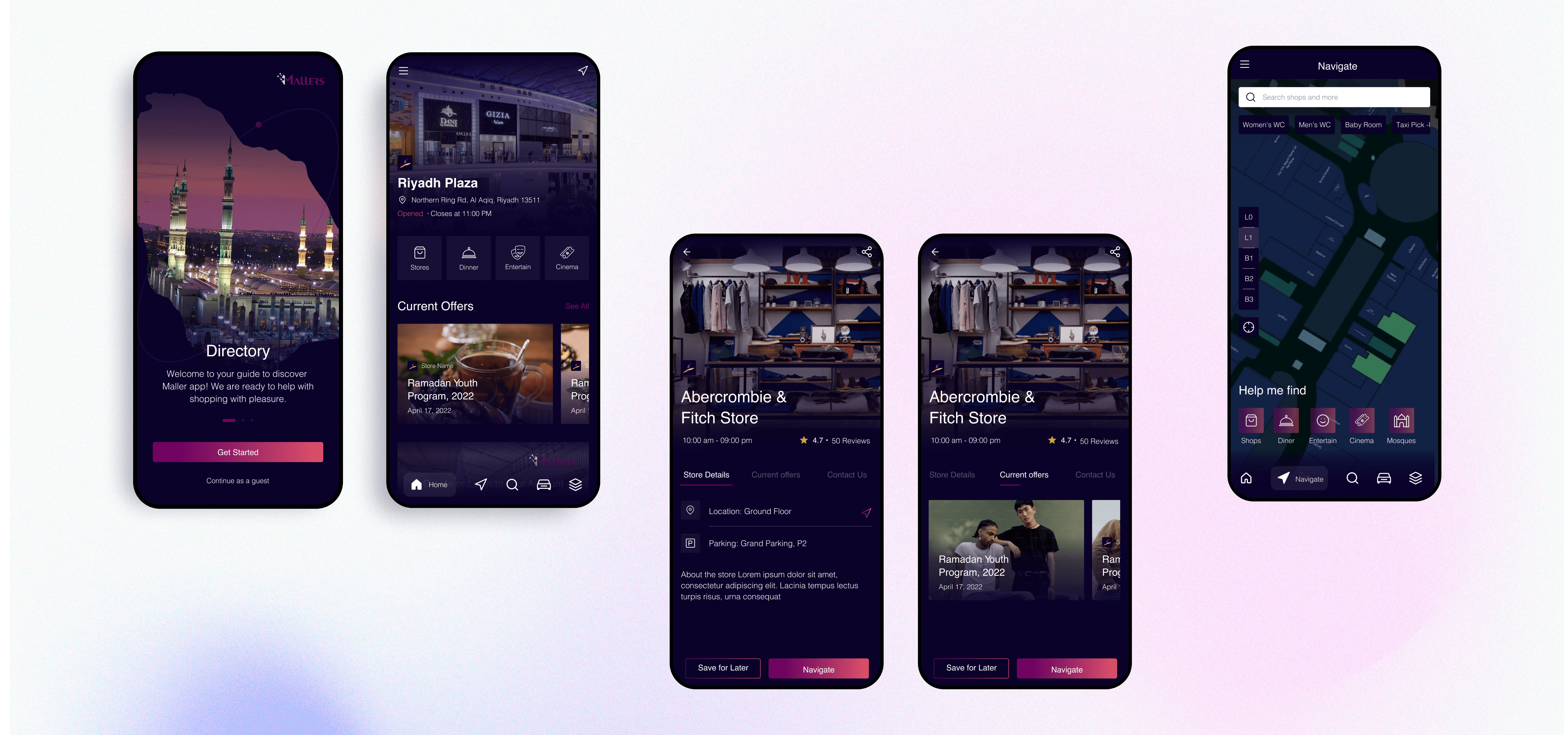
Onboarding is the process of helping new users become comfortable with a product or service. In this illustration, I enhanced the visuals to effectively engage users at first glance, creating a captivating and relevant visual example that introduces buyers to the app.
02. Shopping Center Search
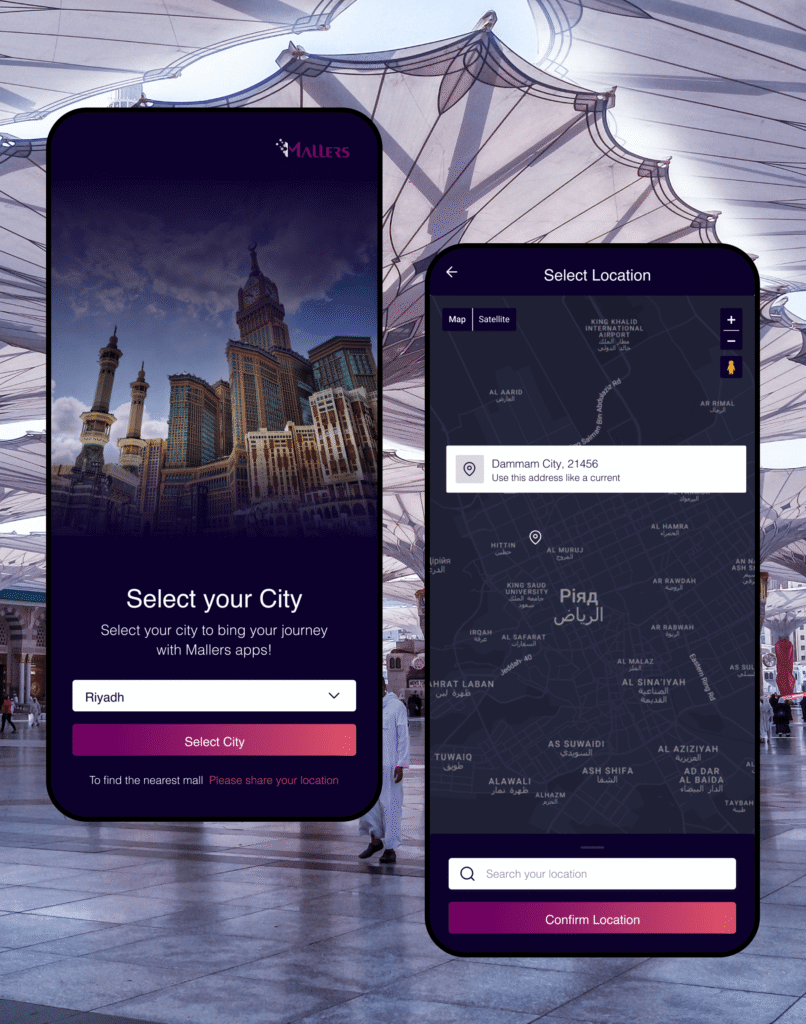
In order to improve user interaction with the application at this stage, the following features were added:
1. The user can see all the shopping centers included in the network, present in the country;
2. To find shopping centers in a certain city and to see the closest ones to him by sharing information about his location.
03.
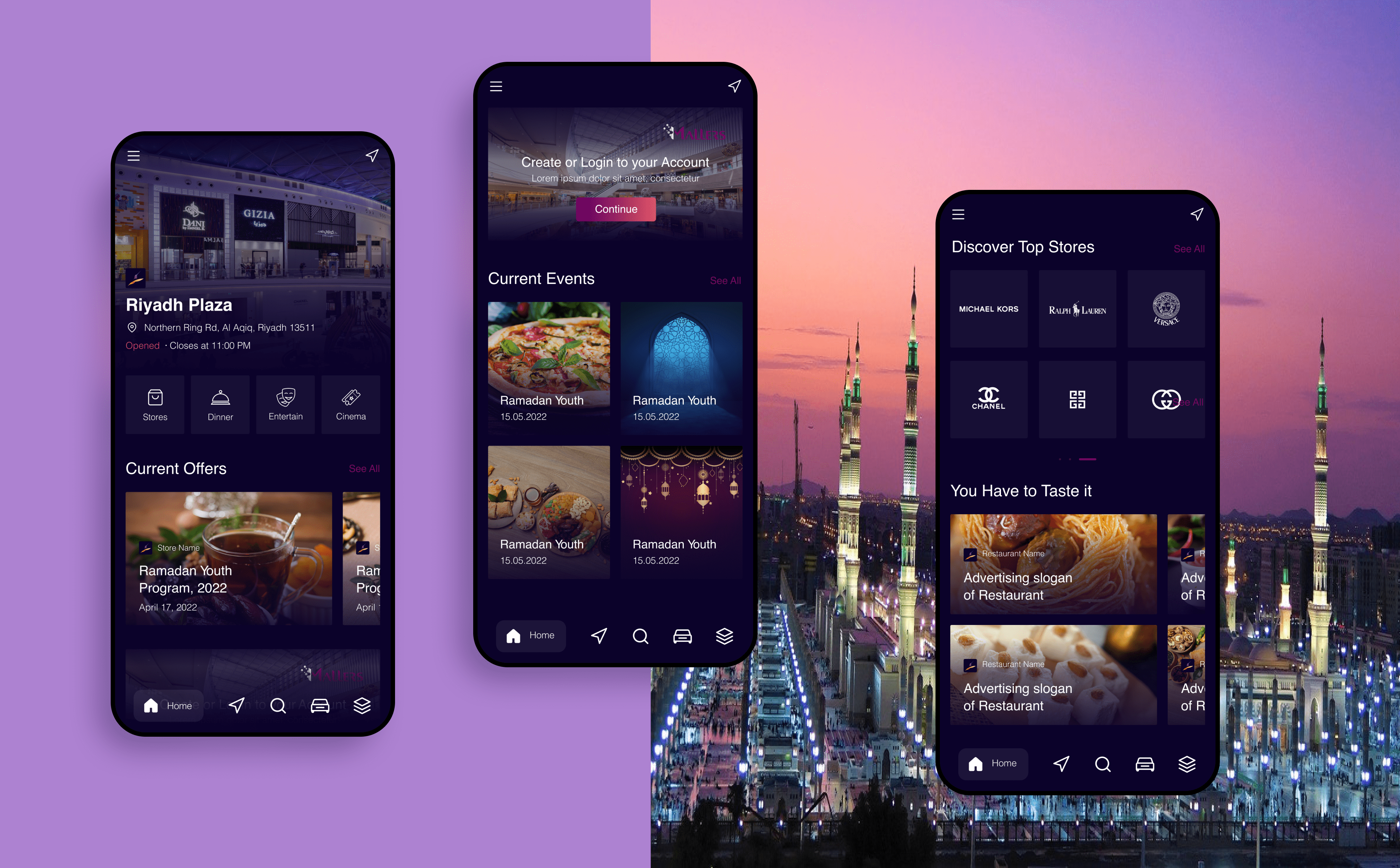
Home Page. Problem #1:
“Important details is missing.”
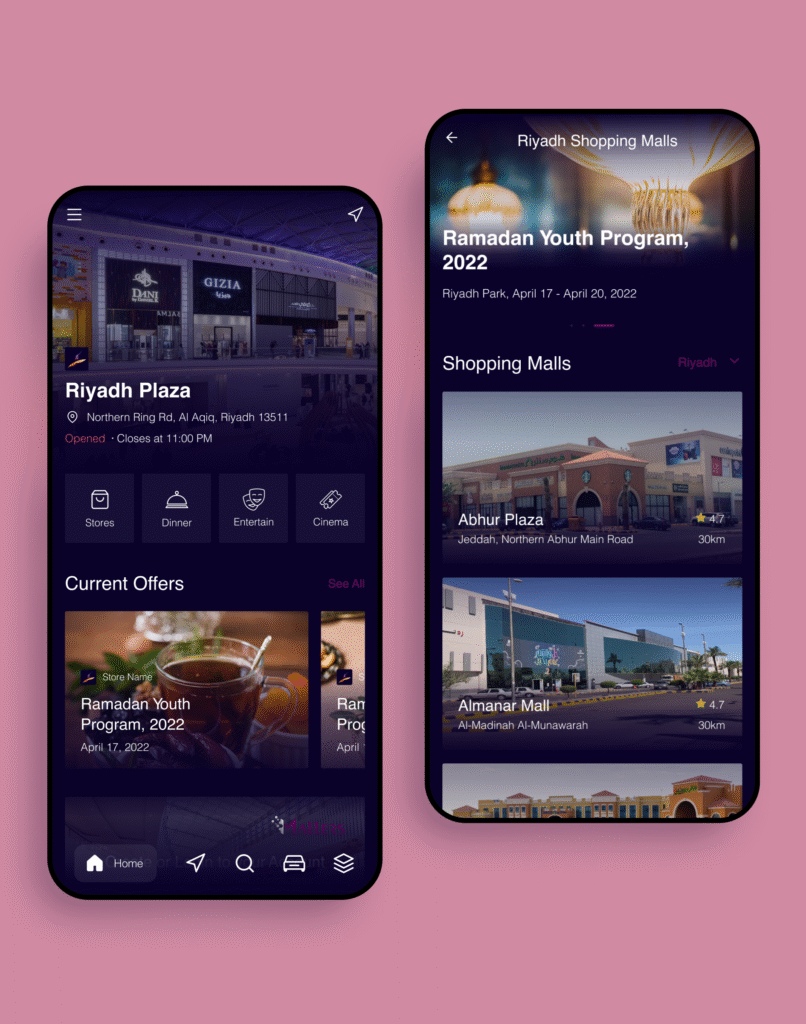
Special attention was paid to user feedback on limited information about shopping centers. So user interaction has been improved:
1. When the user selects a shopping center, he is directed to its Mall inner page, which is also the Home page of the application. This page provides basic information about the center.
2. Display of key activities, Featured Offers, and Events is prominently displayed on the main page to keep users up to date with the most popular attractions.
4. Showcase the best brands and restaurants, recognizing that malls are also entertainment and social venues.
This design aims to provide easy access to all important information and visual appeal for users from the moment they open the app.
Clients can find out the latest news, schedule of events, information about the hottest deals and discounts that suit their interests.
03.
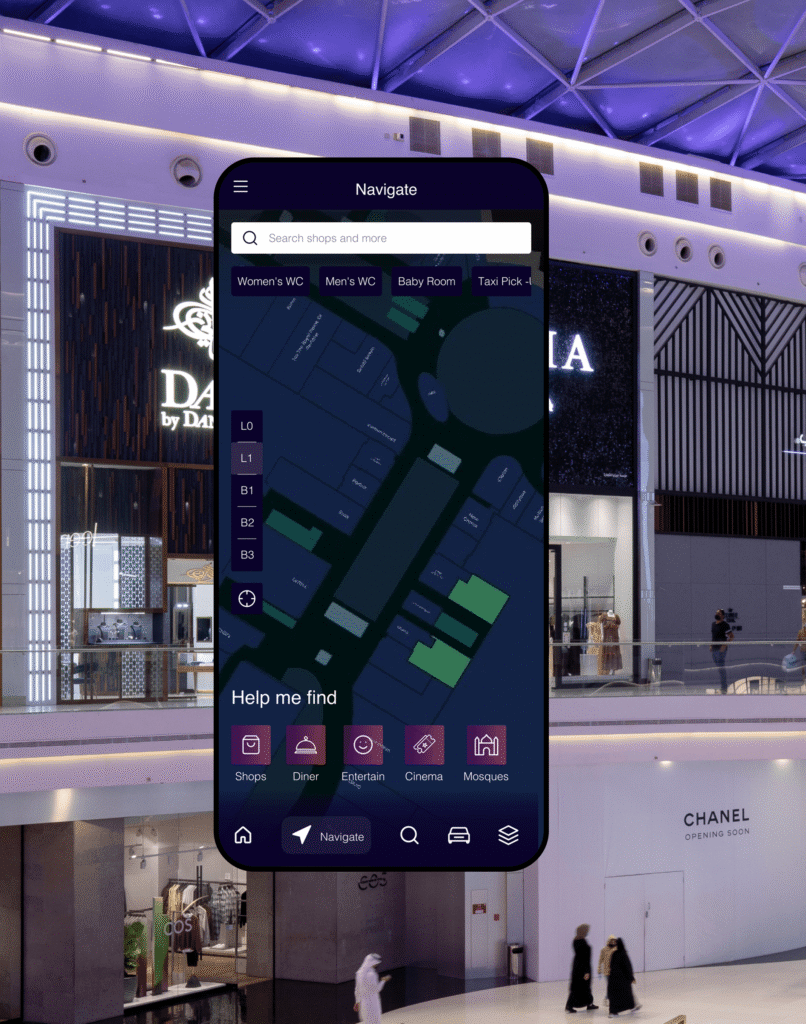
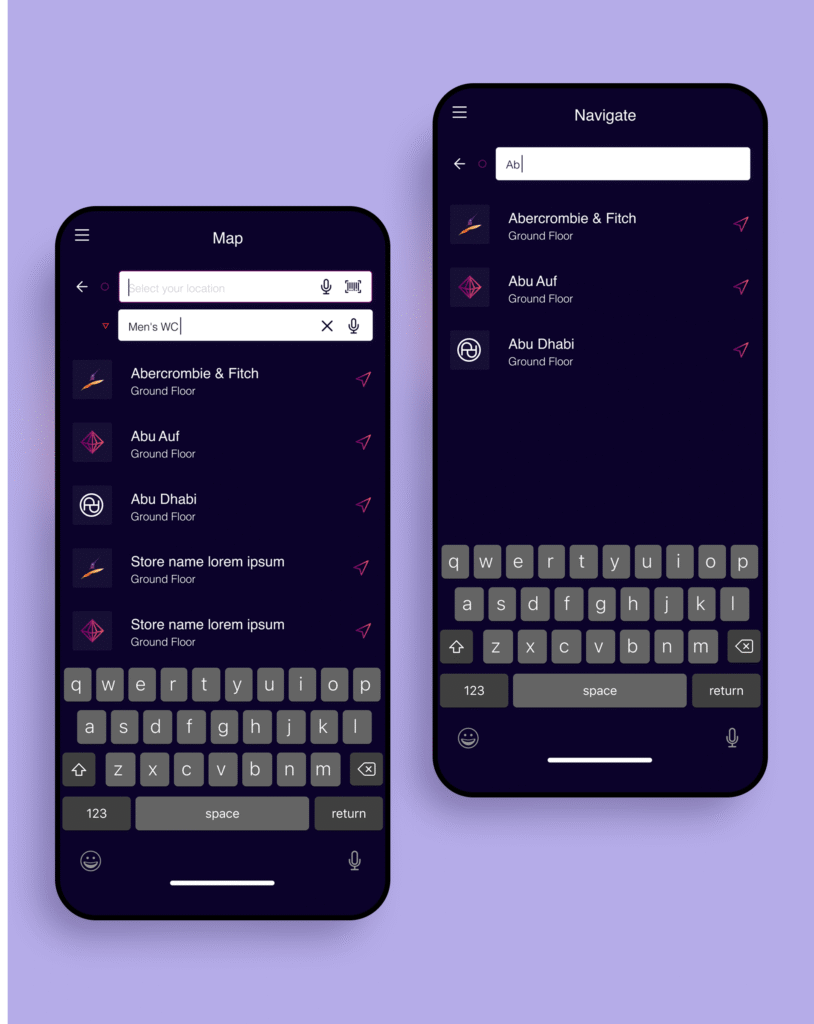
Navigate. Problem #2:
“I can get lost or spend a lot of time looking for a store.”
One of the biggest problems that users talked about is the difficulty in understanding the infrastructure and spending time looking for the right store or even a certain object in the shopping center.
So it’s only logical that we had to provide the ability to quickly navigate, find what you need, and do it effortlessly in real-time.
04.
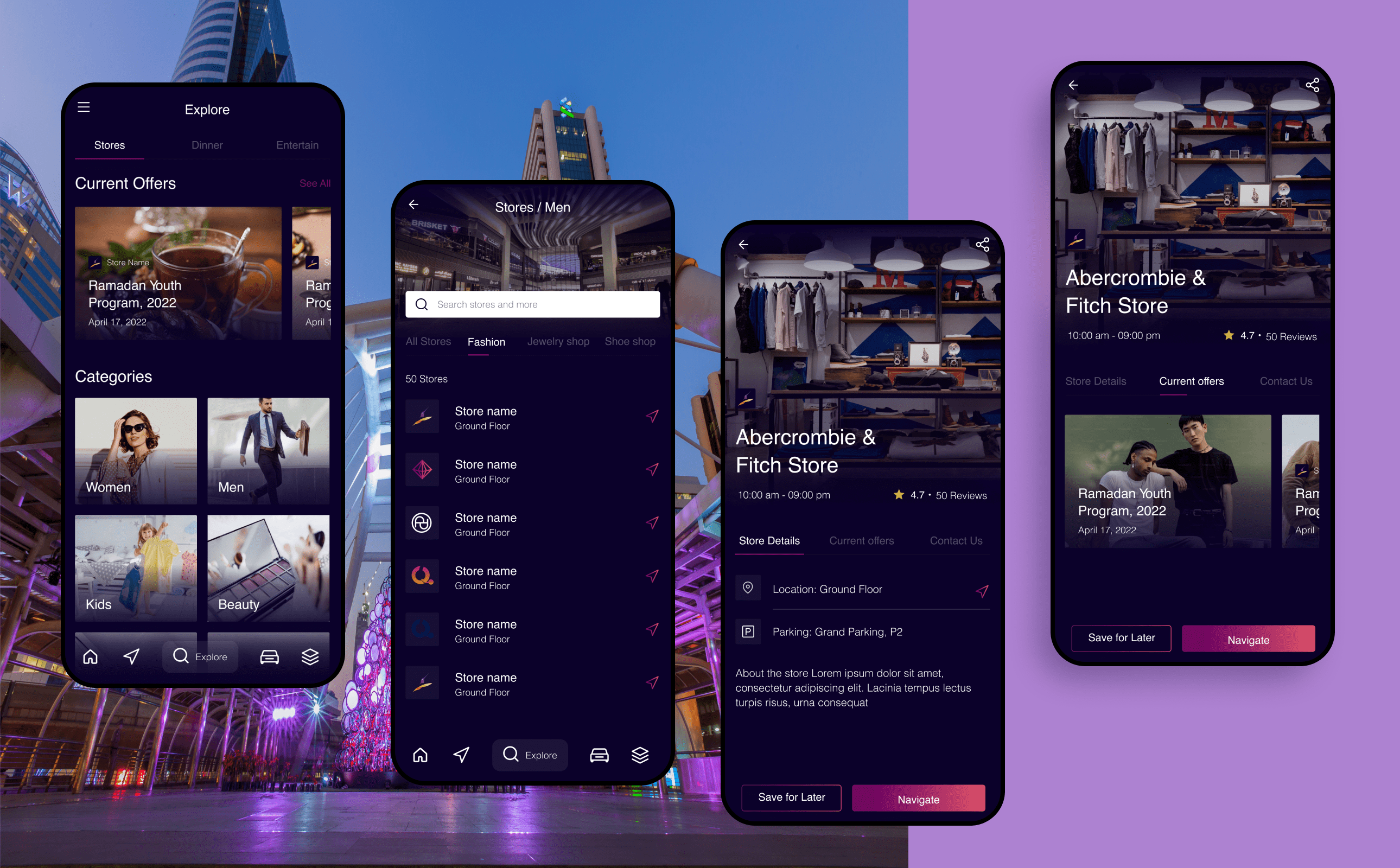
Explore Problem #3:
“I want to find what I need easily.”
Often, users are unsure of what can be purchased in this shopping center.
Therefore, it was decided to create a page that would inform users about the list of shops (organized by category), cafes, restaurants, and entertainment options.
05.
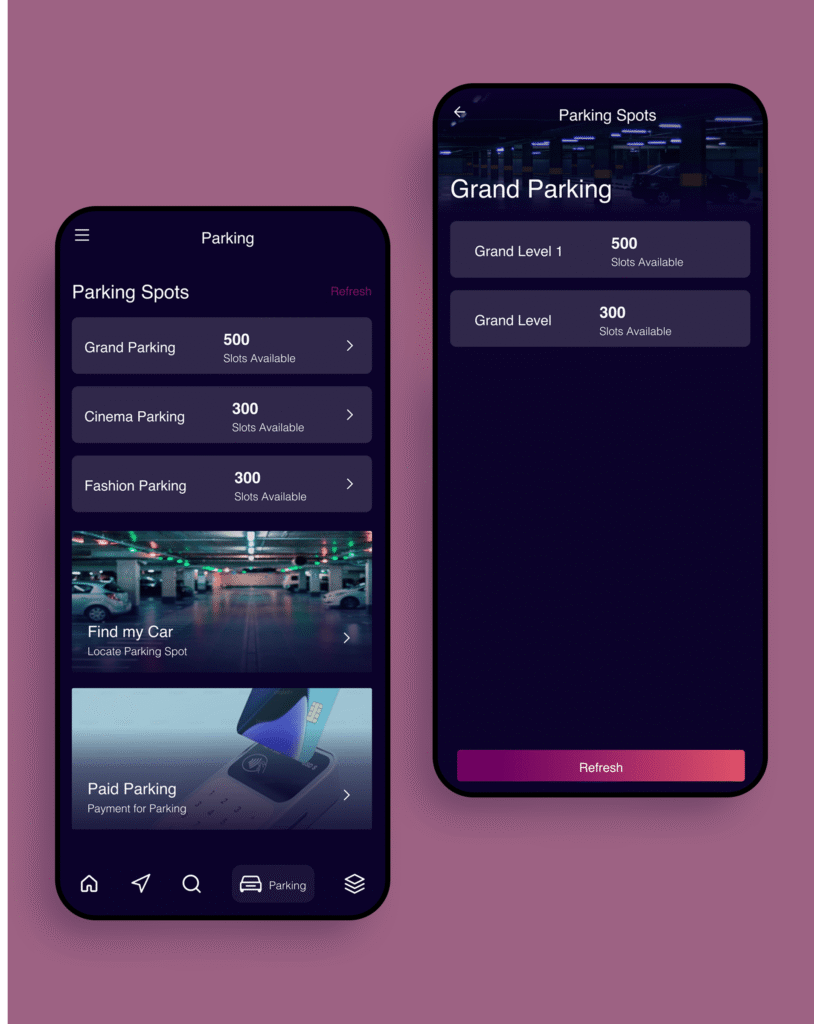
Parking Problem #4:
“It is difficult to find a free space or
it is easy to forget where you left the car.”
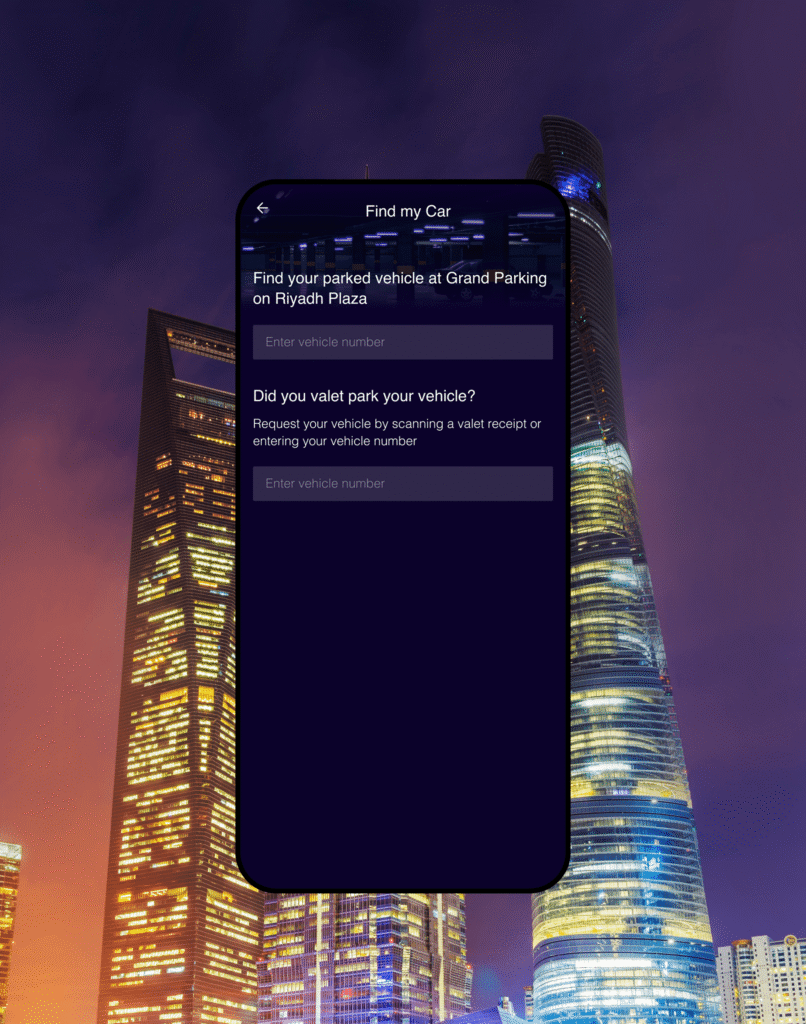
One of the biggest problems that users talked about is the difficulty of finding a free space, or it is easy to forget where you left your car.
The main functionality of the page includes:
1. Parking Spot Recall: Users can save the location of their parked car in the app, preventing the hassle of searching for their vehicle after shopping.
2. Integrated Payment Options: The app enables users to pay for parking directly, streamlining the process and offering a seamless, contactless experience.
3. Simplified Navigation: Interactive maps of parking zones allow users to locate specific sections or zones effortlessly.
06.
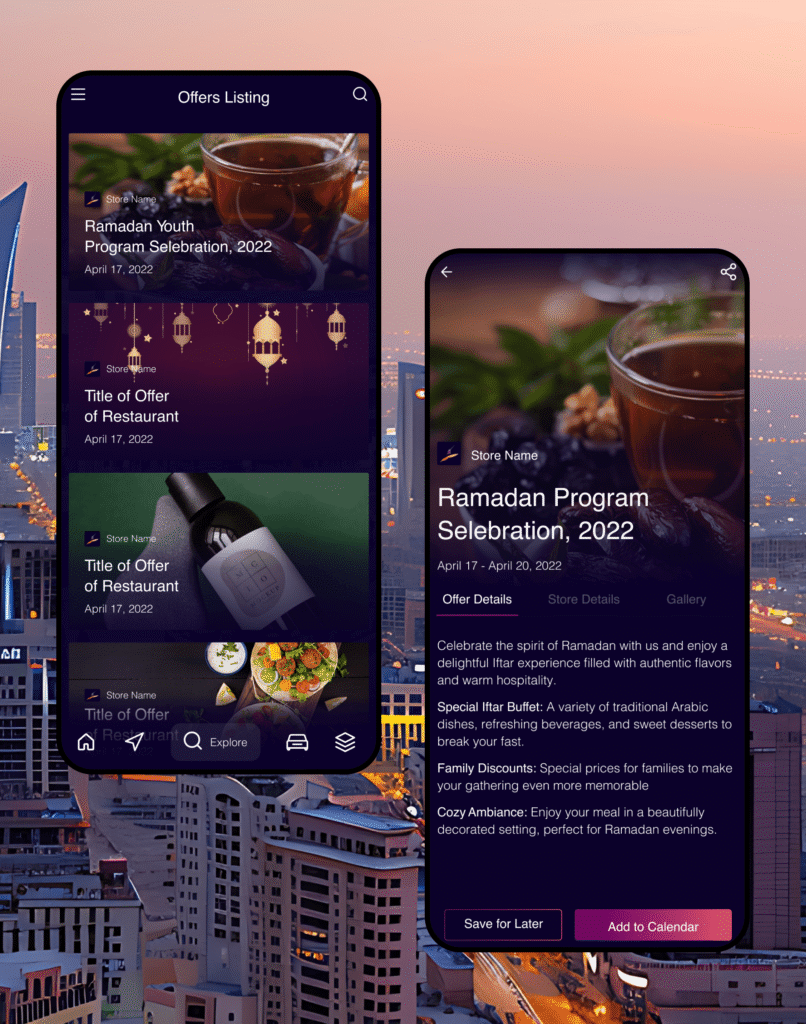
Offers Problem #5:
“May not find out information
about the sale .”
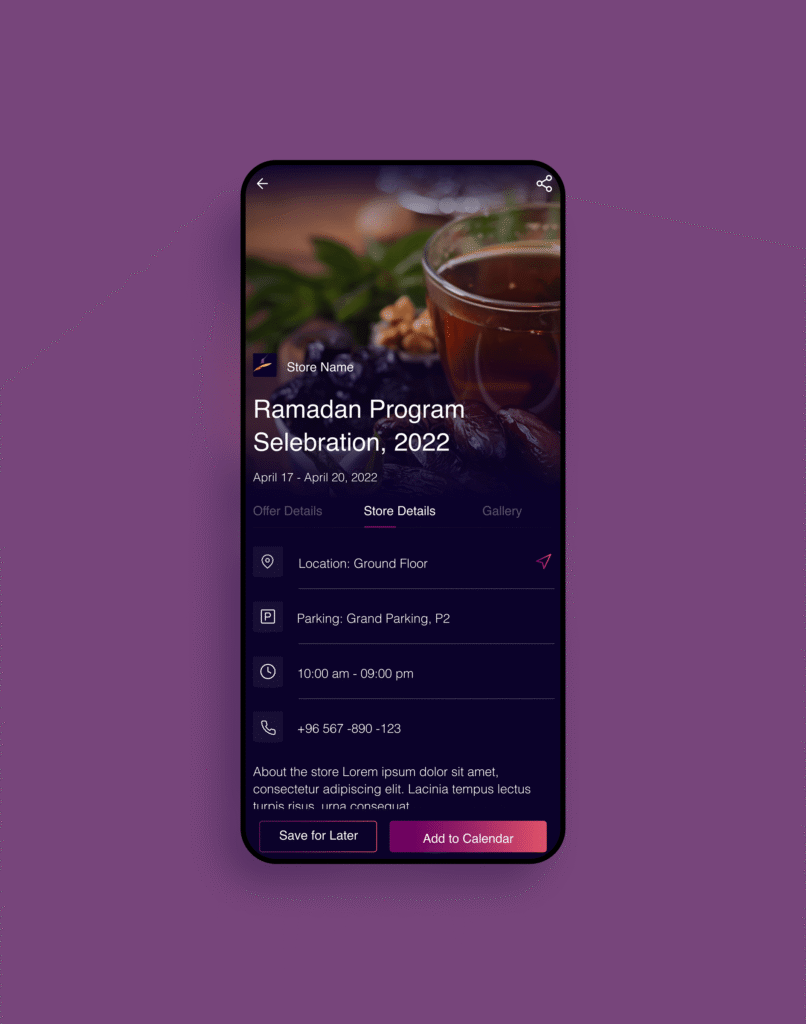
Many users noted that they do not want to miss information about sales in their favorite stores. So, the following was suggested as a solution.
The main functionality of the page includes:
1. Added a section Current Offers to the main menu and the Explore page of the app;
2. Users can enable personalized push notifications.
Mallers app has unified search, planning, and in-store navigation,
increasing shopper engagement and satisfaction
Business results:
The app increased mall value and store footfall by making promotions and offerings easy to discover. Clear indoor navigation reduced friction and improved the overall shopping experience.
Store results:
Stores reached more shoppers through a high-impact mobile channel. Product visibility and promo exposure improved, driving higher in-store attendance.
User results:
Visitors navigate malls effortlessly, filter by needs (e.g., special offers or categories), and browse products on mobile. They receive contextual, personalized updates and can map the fastest route to any location. The experience is simpler, faster, and more satisfying.
What I learned:
1. Align the needs of different stakeholders and keep a single user flow.
2. Deepened design skills for KSA (bilingualism, cultural nuances, peak periods)
3. Improved skills in building information architecture for a significant amount of data.
4. Metrics instead of assumptions – built-in analytics events and usability tests on key tasks.
What I would have done differently
1. Connected analytics earlier.
2. Conducted early testing of edge cases